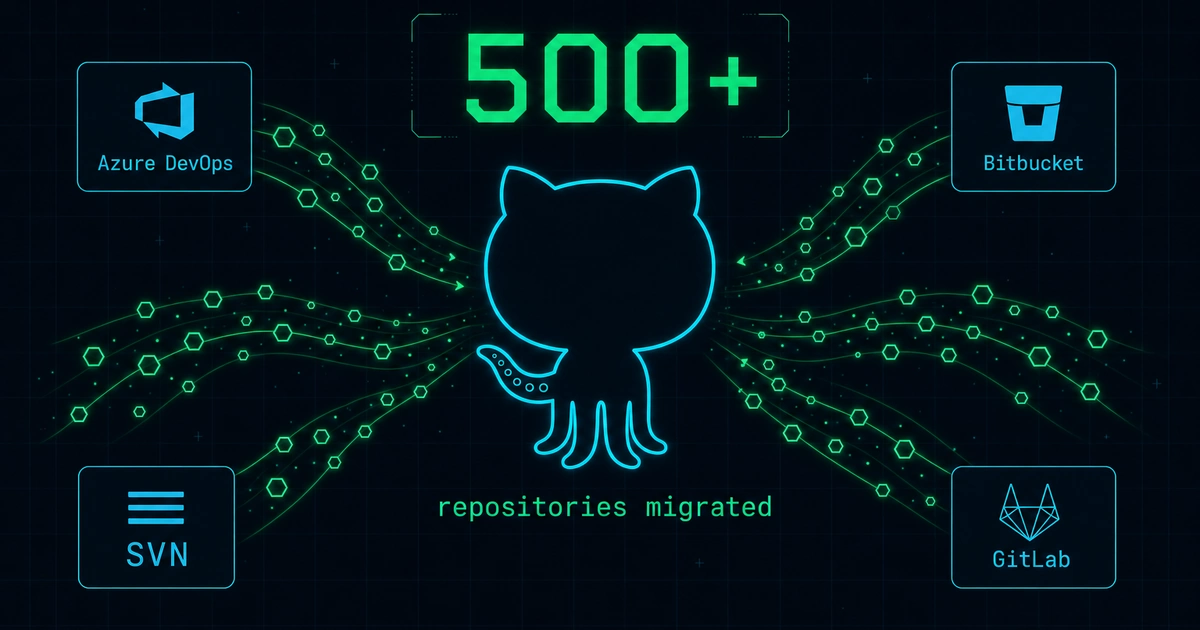
4–8 Hours Down to 15 Minutes
After migrating 500+ repositories from Azure DevOps, Bitbucket, SVN, and other systems to GitHub, my team ran into pretty much every migration challenge imaginable. Large files that blocked pushes. Secret scanning that halted imports. SVN repos with decades of tangled history. Permission hierarchies that didn’t map cleanly to GitHub’s model.
Manual migrations were taking 4–8 hours each with a success rate hovering around 60%. That’s not sustainable when you have hundreds of repos in the queue. So we built an automated, issue-driven framework on GitHub Actions and PowerShell that brought migration time down to 10–15 minutes and pushed success rates to roughly 95%. I open-sourced the entire framework so other teams facing enterprise-scale migrations can skip the painful trial-and-error phase.
Here are the eight biggest challenges we solved — and what I’d tell any team about to start a large-scale migration.
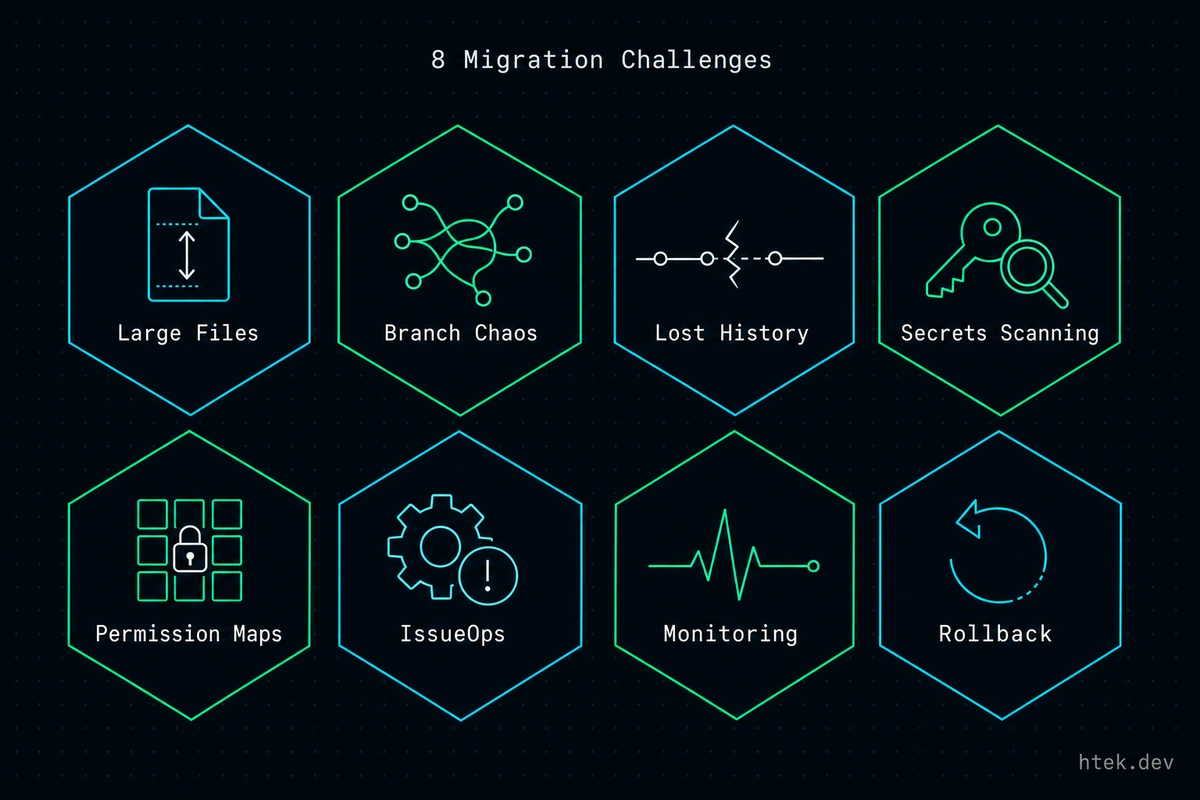 The eight recurring migration challenges — each solved once in the framework so no team re-solves them at 2 AM.
Challenge 1: Large Files Break Everything
GitHub enforces a 100 MB file size limit per push. That sounds reasonable until you discover a 250 MB SQL dump buried in a repo’s history from three years ago. One oversized file blocks the entire migration.
Our framework auto-detects files exceeding 100 MB and converts them to Git LFS before the push. This runs as a pre-migration step — no human intervention needed. If you’re planning a migration, audit your repos for large binaries early. Tools like git lfs migrate info will surface the offenders before they surface themselves at 2 AM.
Challenge 2: Branch Naming Chaos
Source systems use different default branch conventions — main, master, trunk, develop. When you’re migrating hundreds of repos from mixed origins, you can’t assume a single convention.
Our scripts detect the source default branch automatically and preserve it during migration. Post-migration, teams can rename at their own pace. Forcing a rename during migration adds unnecessary risk and breaks CI/CD pipelines that reference the old name.
Challenge 3: Losing History and Metadata
Some migration tools only copy the current state of your code — no commit history, no author metadata, no merge topology. That’s a non-starter for any team that relies on git blame or needs audit trails.
We use git clone --mirror instead of API-based imports to preserve the full commit history, authors, timestamps, branches, tags, and merge structure. GitHub’s planning guide emphasizes understanding migration fidelity — what transfers versus what doesn’t — and running pilot migrations first. This is advice worth following.
Challenge 4: Secret Scanning Blocks Imports
GitHub’s secret scanning with push protection is excellent security — until it blocks your migration because someone committed an AWS key in 2019. Legacy repos are full of historical secrets that will halt an import cold.
Our framework temporarily disables push protection during migration and re-enables it immediately after. The tradeoff is real: you’re briefly exposed while the push completes. Our approach relies on teams revoking any exposed secrets post-migration, which worked at our scale. A more robust solution could integrate pre-commit scanning tools like gitleaks to detect and flag secrets before they land.
“Our current approach relies on teams revoking any exposed secrets after migration. A better solution could use pre-commit scanning to detect secrets, mask them, and export findings to a secure location.”
Challenge 5: SVN-to-Git Translation
Subversion repos are a special kind of challenge. The centralized model, trunk/branches/tags layout, and revision numbering don’t map neatly to Git. Atlassian’s SVN-to-Git migration guide documents the git svn clone approach, which we extended with automatic layout detection.
Our framework uses git-svn with --stdlayout for standard SVN structures and falls back to manual path configuration for non-standard layouts. The ISRDI team’s experience migrating a massive SVN project mirrors ours — conversion times can be brutal for repos with tens of thousands of revisions, and the only reliable path involves patience and the right tooling.
Challenge 6: Permission and Team Hierarchy
GitHub’s permission model differs significantly from Azure DevOps’s project-level access. You can’t just copy ACLs — you need to rethink team hierarchy, CODEOWNERS files, and branch protection rules.
Our automation creates parent, owner, and admin teams, validates that the migration requestor has the right membership, and sets repository visibility based on criticality. The GitHub Enterprise Importer handles some of this for GitHub-to-GitHub migrations, but for cross-platform moves, you’ll need custom automation.
Challenge 7: Monorepo Decomposition
Some teams want to break a monorepo into separate GitHub repos during migration. Our framework supports an only-folder parameter that uses Git filtering to extract a subdirectory while preserving its commit history. This is the right approach when a subfolder has become an independent product — but don’t decompose just for the sake of decomposition. Monorepos have legitimate advantages, and splitting adds CI/CD complexity.
Challenge 8: Integration Rewiring
Migrating source code is only half the job. Azure DevOps pipelines, boards, webhooks, and work item links all need to point to the new GitHub home. The Microsoft DevBlog’s migration playbook walks through the multi-phase approach: repos first, pipelines second, remaining assets third.
Our framework auto-rewires what it can — pipeline references, board links, webhook URLs — but some integrations require manual verification. Teams like nkdAgility have built complementary tools focused on work item migration that fill gaps our framework doesn’t cover.
The Issue-Driven Automation Pattern
The backbone of our framework is what GitHub calls IssueOps — using GitHub Issues as the trigger for automated workflows. A team member fills out an issue template with the source repo URL, target org, and migration options. Creating that issue triggers a GitHub Actions workflow that executes the full migration pipeline: clone, clean, convert, push, configure permissions, rewire integrations, and report results back on the issue.
One issue, one migration, full audit trail. No SSH sessions, no manual scripts, no tribal knowledge.
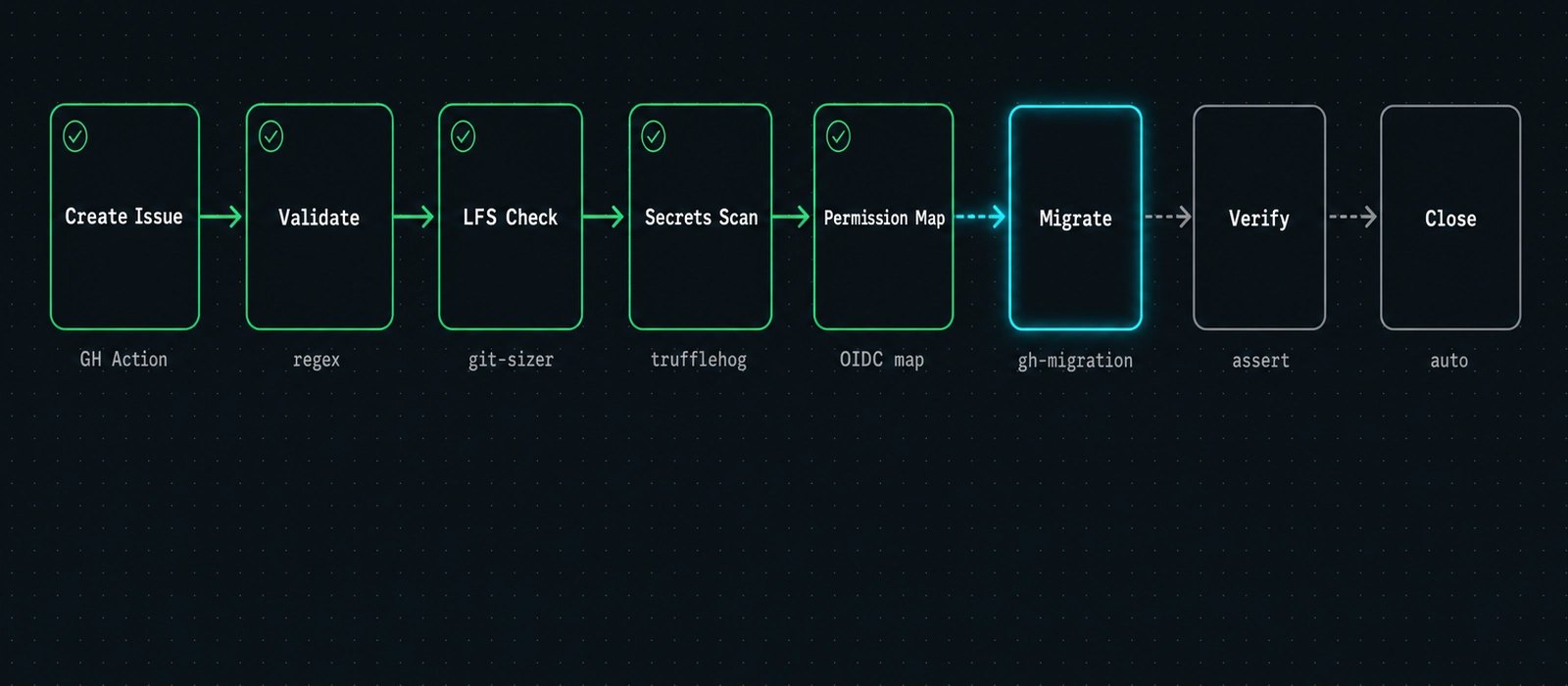 Every migration runs the same eight stages — from issue trigger to audit report — with no human hand-off in the middle.
| Metric | Before (Manual) | After (Automated) |
|---|---|---|
| Migration time per repo | 4–8 hours | 10–15 minutes |
| Success rate | ~60% | ~95% |
| Required expertise | Senior engineer | Any team member |
| Audit trail | Scattered notes | GitHub Issue thread |
| Reproducibility | Low | High |
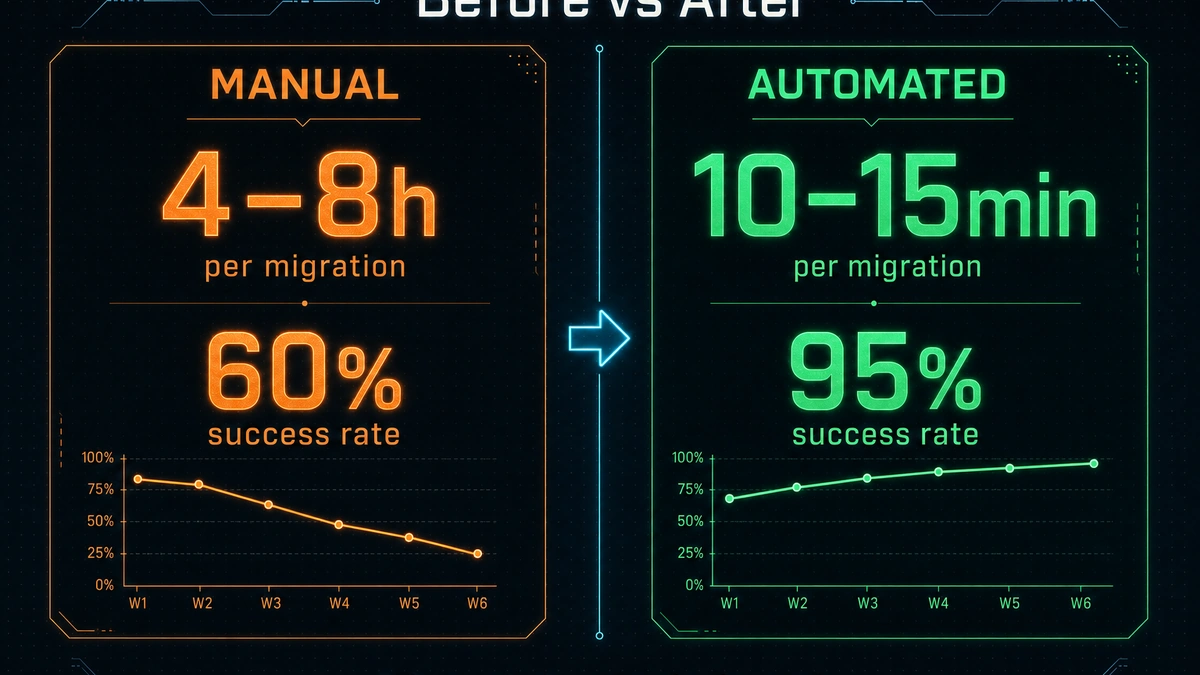 The same numbers as the table above — visualized. Every metric moved, and the audit trail moved from Slack DMs to permanent GitHub Issue threads.
Keeping the Framework Maintainable
One challenge with enterprise frameworks is keeping them maintainable as requirements change. We use GitHub Copilot with a .github/skills/ directory containing structured instructions for common extension tasks — adding a new import source, configuring custom properties, and converting the template to a production instance. This keeps the framework accessible to contributors who didn’t build it from scratch.
The framework is MIT-licensed and available on GitHub with full documentation, contributing guidelines, and a changelog. As I wrote in the original DEV.to post, I’d rather teams spend their time on the migration decisions that matter — what to migrate, when, and in what order — than re-inventing the plumbing.
What I’d Tell Teams Starting Today
Start with a pilot repo. Pick a representative repository — not the simplest one, not the most complex — and run it through your full migration pipeline. You’ll discover edge cases that no planning document will surface.
Automation is worth the investment. Manual migrations don’t scale past a dozen repos. The upfront cost of building (or adopting) an automated framework pays for itself by migration number ten. LPains’ migration guide and Moim Hossain’s programmatic approach using GitHub Import APIs are solid references if you’re evaluating your options alongside GitHub’s official migration tooling.
Plan for what doesn’t migrate. Every tool has fidelity gaps. Zenhub’s comparison of Azure DevOps Boards and GitHub Projects highlights one common gap. Know yours before you start, not after.
The industry trend is clear — with 180 million developers on GitHub and AI-powered tooling like GitHub Copilot accelerating development workflows, platform consolidation is accelerating. The question isn’t whether to migrate — it’s how to do it without losing history, breaking pipelines, or burning out your team.
That’s what those 500+ migrations taught me. Build the automation, trust the process, and spend your engineering energy on the problems that actually require a human.