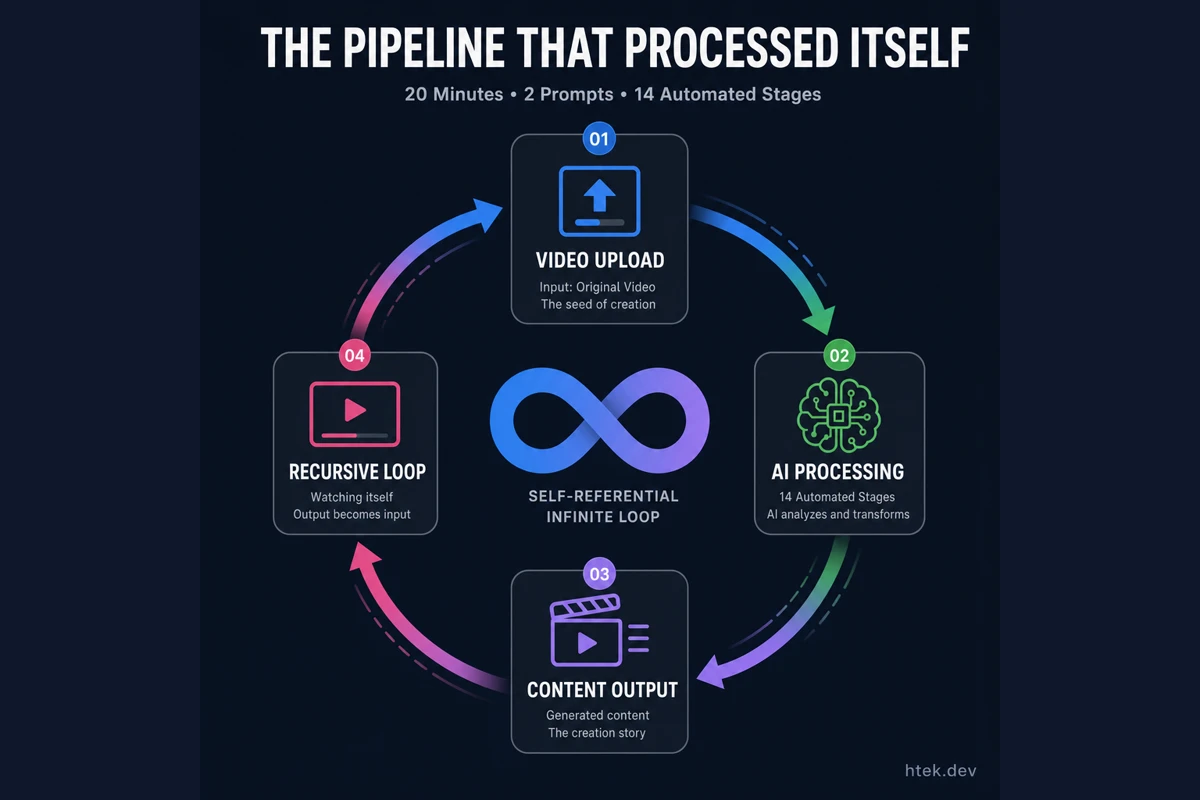
The Pipeline That Processed Itself Into Existence
If you’re watching the video I posted on LinkedIn, you’re looking at proof. That video was transcribed, captioned, clipped into shorts, and turned into social posts by the very pipeline I built to do those things — a 14-stage video processing system scaffolded in 20 minutes with two prompts. The tool didn’t just build the system. It processed its own creation story.
I’ve written before about the shift from writing code to directing it. This project made that shift visceral. I didn’t write a single line of TypeScript. I described what I wanted, answered a few clarifying questions, and watched parallel agents assemble a production-quality pipeline while I sipped coffee.
The tool that made this possible is GitHub Copilot CLI and its experimental /fleet command.
What Fleet Mode Actually Does
Fleet mode is an experimental feature introduced by Evan Boyle that enables parallel sub-agent orchestration inside Copilot CLI. Instead of one agent grinding through tasks sequentially, /fleet decomposes your request into parallelizable work units and dispatches multiple sub-agents simultaneously.
Here’s the workflow:
- Prompt ingestion — You describe a complex system in natural language
- Clarifying questions — The orchestrator asks targeted questions to fill context gaps
- Planning — Fleet mode decomposes the project into dependency-aware tasks, tracked in a SQLite database per session
- Parallel dispatch — Multiple
general-purposesub-agents spawn concurrently, each assigned to a specific module - Integration — After parallel work completes, a final pass resolves conflicts and ensures coherence
The January 2026 changelog confirmed four built-in agent types — Explore, Task, Plan, and Code-review — that Copilot delegates to automatically. WinBuzzer reported that version 0.0.382 transforms sequential agent handoffs into concurrent execution, cutting complex tasks from 90 seconds to 30.
Paired with autopilot mode (cycle with Shift+Tab), the agent keeps working until the job is done — no confirmation pauses, no hand-holding.
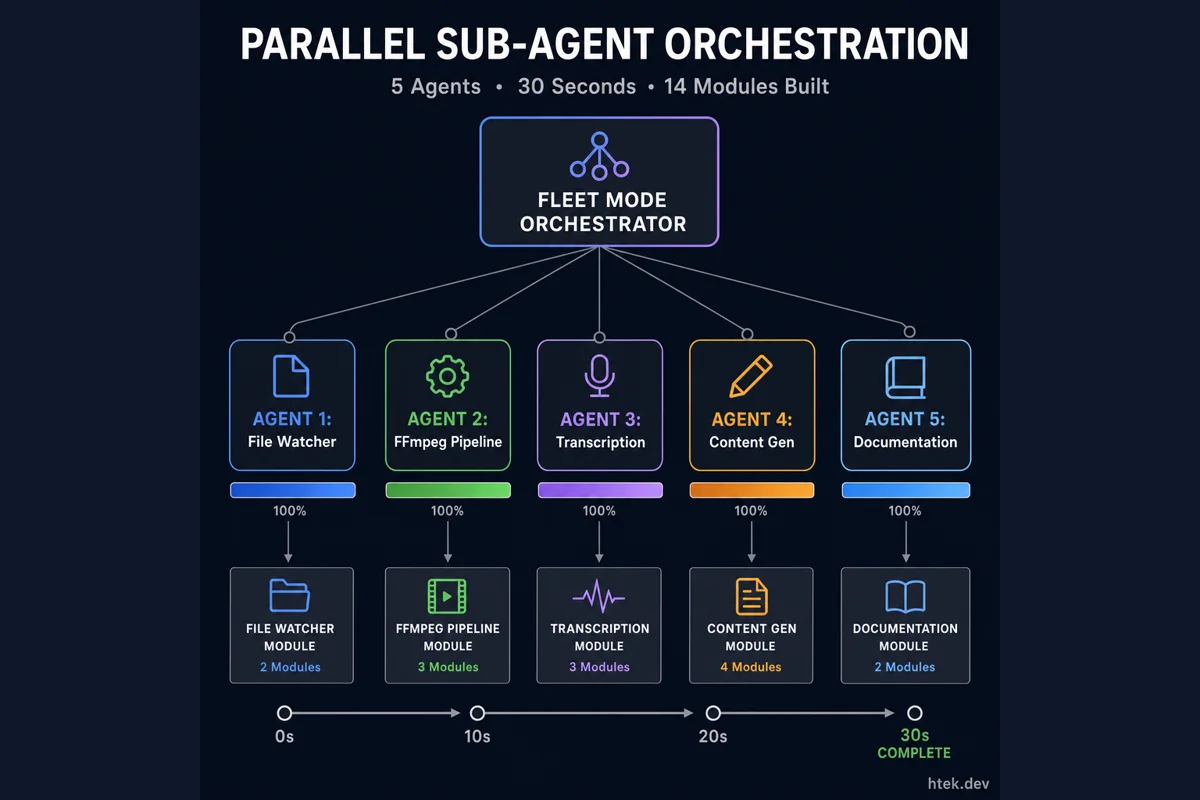 Fleet mode orchestrates multiple sub-agents in parallel, each building a different module simultaneously — turning 90-second sequential execution into 30-second concurrent work
The 14-Stage Pipeline
My two prompts described a system that watches for new video files and automatically generates everything a content creator needs. Fleet mode decomposed it into 14 stages:
| # | Stage | What It Does |
|---|---|---|
| 1 | File Watcher | Monitors a directory for new video files using chokidar |
| 2 | Video Ingestion | Validates codecs and extracts metadata via ffprobe |
| 3 | Audio Extraction | Strips audio track with FFmpeg for transcription |
| 4 | Transcription | Generates full transcript via Whisper API |
| 5 | Caption Generation | Formats timed SRT/VTT subtitles with word-level timestamps |
| 6 | Caption Burning | Hard-codes captions into the video using FFmpeg filters |
| 7 | Chapter Detection | Analyzes transcript for topic shifts, generates chapter markers |
| 8 | Summary Generation | Produces concise summaries from the full transcript |
| 9 | Shorts Generation | Clips vertical short-form videos (9:16) from highlight moments |
| 10 | Thumbnail Generation | Extracts key frames for video and shorts thumbnails |
| 11 | Social Post Generation | Writes platform-specific posts for LinkedIn and X |
| 12 | Blog Content Generation | Transforms transcript into long-form blog content |
| 13 | Documentation | Auto-generates README and pipeline docs |
| 14 | Output Organization | Structures artifacts into organized directories with manifest |
The generated code was clean, modular TypeScript with proper try/catch error handling and Winston structured logging throughout. Each stage follows a pipeline pattern with defined inputs and outputs feeding the next — the kind of architecture you’d expect from a well-structured Node.js logging setup, not a speedrun.
Reddit users on r/GithubCopilot report similar experiences — one commenter described watching “3 agents arguing about architecture in your terminal” before converging on a solution. Another thread showed 5 sub-agents completing a complex refactoring in about 7 minutes of wall time with only 52 seconds of actual API time.
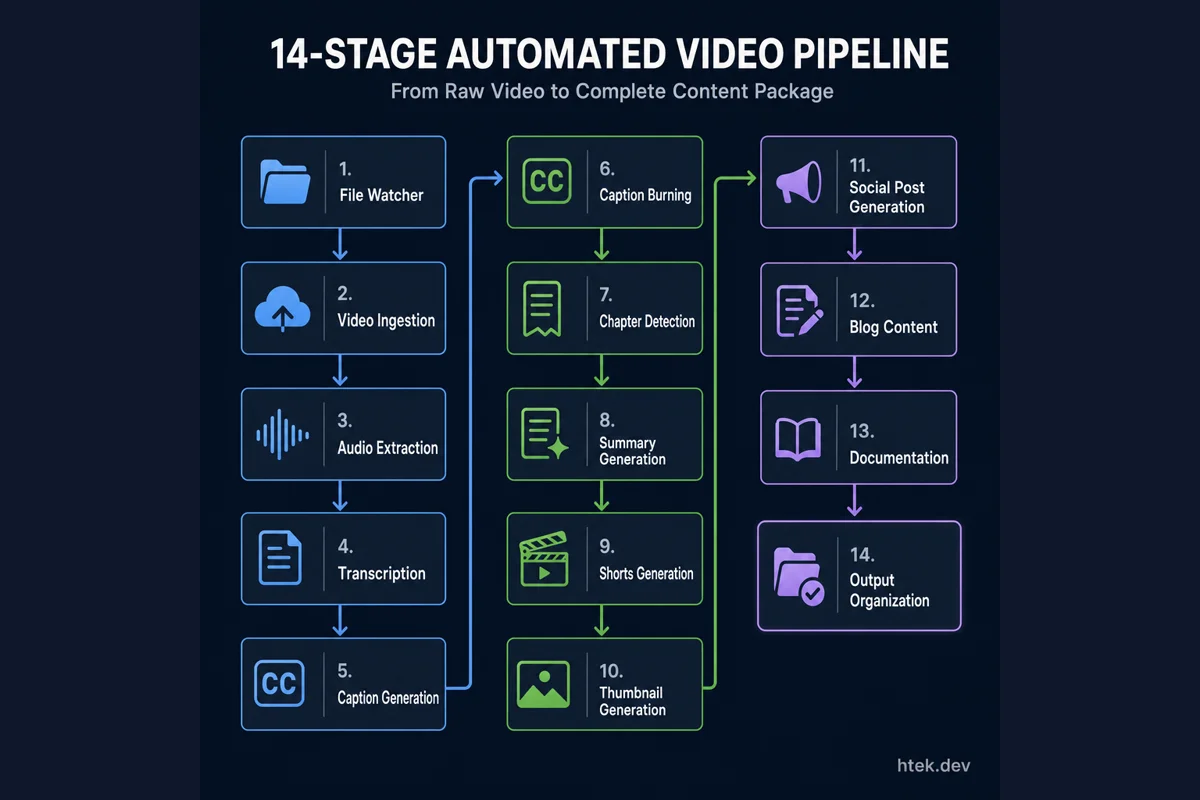 The 14 automated stages: from file watcher and video ingestion, through transcription and content generation, to final organized output — all generated in 20 minutes
The Three Skills That Matter Now
Building this pipeline didn’t require me to know FFmpeg filter syntax or Winston transport configuration. It required three things:
Context Engineering
Context engineering is replacing prompt engineering as the critical AI skill. It’s not about finding magic words — it’s about structuring what information the model can access when generating a response. I provided examples of video pipeline architectures, named the specific tools I wanted (FFmpeg, Whisper, chokidar), and described the output directory structure. The AI didn’t have to guess — I gave it the context to succeed.
Architectural Thinking
I didn’t describe individual functions. I described a system: data flow, stage boundaries, error propagation, and output contracts. The AI translated system-level thinking into implementation. If I’d prompted at the function level, I’d still be typing.
Articulation Clarity
The difference between a mediocre AI output and a great one is how clearly you describe what’s in your head. My two prompts weren’t clever tricks — they were precise descriptions of a video processing system with clearly defined stage responsibilities and output expectations.
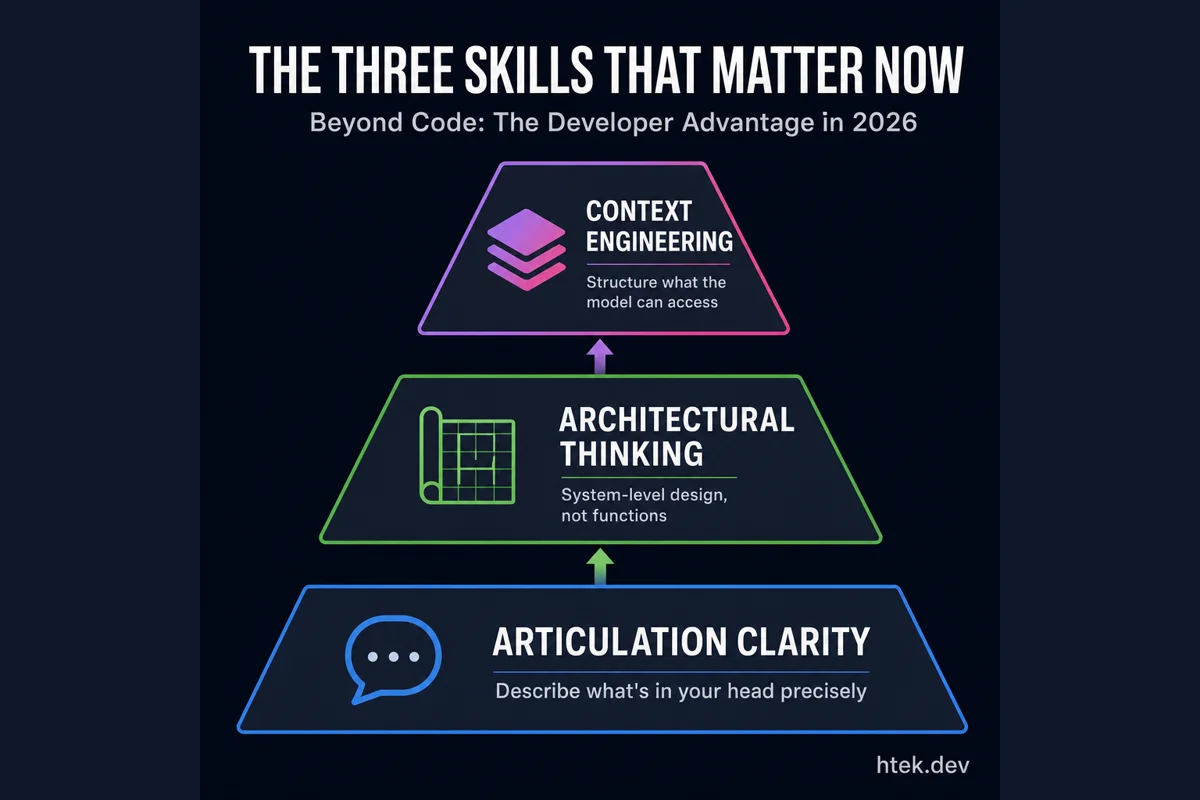 The three skills that separate effective AI-assisted developers from the rest: clear articulation of intent, system-level architectural thinking, and strategic context engineering
How Fleet Mode Compares
The agentic coding landscape in 2026 is crowded. Here’s where the major tools stand:
| Tool | Type | Parallel Agents | Best For |
|---|---|---|---|
| Copilot CLI (Fleet) | Terminal agent | ✅ | GitHub integration, zero-cost entry for subscribers |
| Claude Code | Terminal agent | ✅ | Deep reasoning with Opus-class models |
| Cursor | AI IDE | ✅ | Familiar IDE UX, inline editing |
| Windsurf | Agentic IDE | ✅ | Beginner-friendly autonomous execution |
| Devin | Autonomous agent | ✅ | End-to-end delivery, enterprise adoption |
Each tool has real strengths. Claude Code’s reasoning with Opus 4.6 is genuinely superior for complex logic. Cursor offers the most polished inline diff experience. Devin handles fully autonomous end-to-end delivery, backed by a $10.2 billion valuation.
But Copilot CLI’s fleet mode hits a sweet spot for my workflow: it’s terminal-native, included with my existing Copilot subscription, deeply integrated with the GitHub ecosystem, and extensible via MCP and ACP. For greenfield scaffolding projects like this video pipeline, the combination of /plan, /fleet, and autopilot is unmatched.
What This Means for Developers
The productivity numbers here aren’t incremental improvements. A 14-stage pipeline that would take 2–4 weeks to hand-build emerged in 20 minutes. That’s not a 5x speedup — it’s closer to 100x for this class of problem.
But the takeaway isn’t “AI writes code faster.” It’s that implementation is being commoditized. The competitive advantage is shifting from “can you code this?” to “can you envision this?” The developer who can articulate a clear system design, bring the right context, and think in terms of architecture will extract dramatically more value from these tools than someone who treats them as fancy autocomplete.
“If you’re watching this video, you’re looking at proof. This pipeline processed itself into existence in front of your eyes.”
The self-referential nature of this project — the pipeline processing its own creation video — isn’t just a fun demo. It’s a signal. We’re entering an era where the gap between imagining a system and having a working system is collapsing to minutes. The developers who thrive won’t be the fastest typists. They’ll be the clearest thinkers.