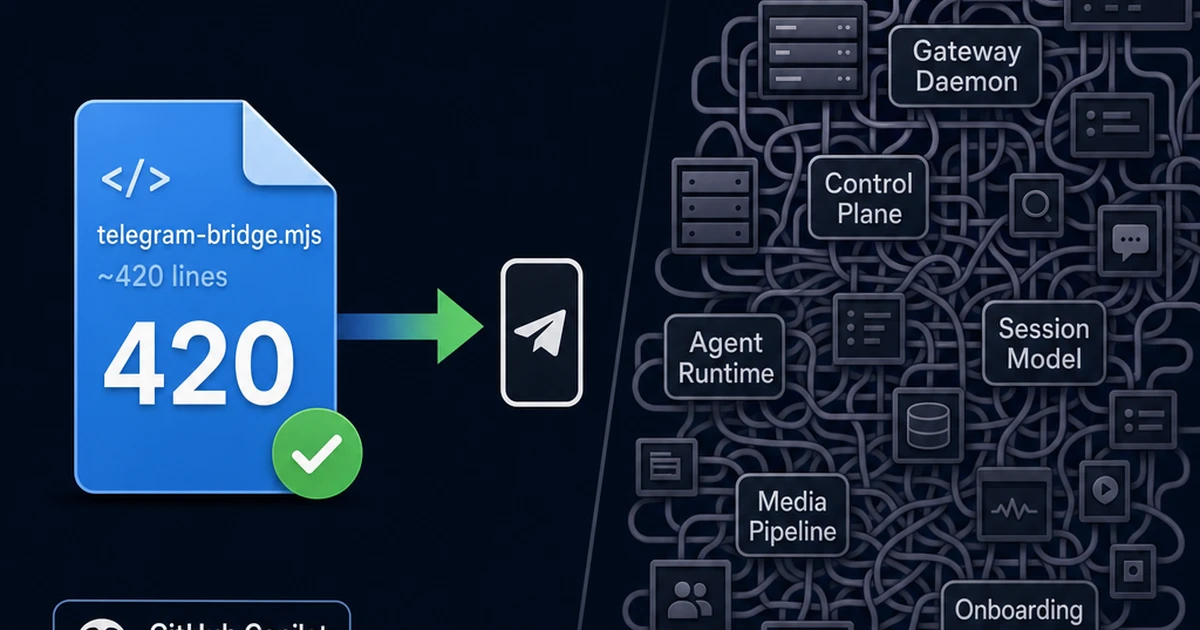
I was lying in bed last night thinking about OpenClaw — the open-source personal AI assistant framework that connects to 20+ messaging channels (WhatsApp, Telegram, Slack, Discord, Signal, iMessage, Teams, IRC, Matrix…). It’s an impressive project. Gateway daemon, WebSocket control plane, custom agent runtime, multi-agent routing, onboarding wizard, companion apps, voice wake words, live canvas. Thousands of lines of infrastructure code.
Then I thought: what if I could do the core thing — chat with an AI coding agent from my phone — in a single file?
Turns out, you can.
The Extension
GitHub Copilot CLI has an extension system. You drop an .mjs file in .github/extensions/, and it gets forked as a child process with access to the full session via JSON-RPC. The SDK gives you everything:
session.send()— inject prompts programmaticallysession.on("assistant.message")— capture responses in real-time- Custom tools — register new tools the agent can call
- Lifecycle hooks — react to session start, end, errors
- Full Node.js runtime —
fetch,fs, timers, whatever you need
With these primitives, bridging Telegram to a Copilot CLI session is trivial.
How It Works
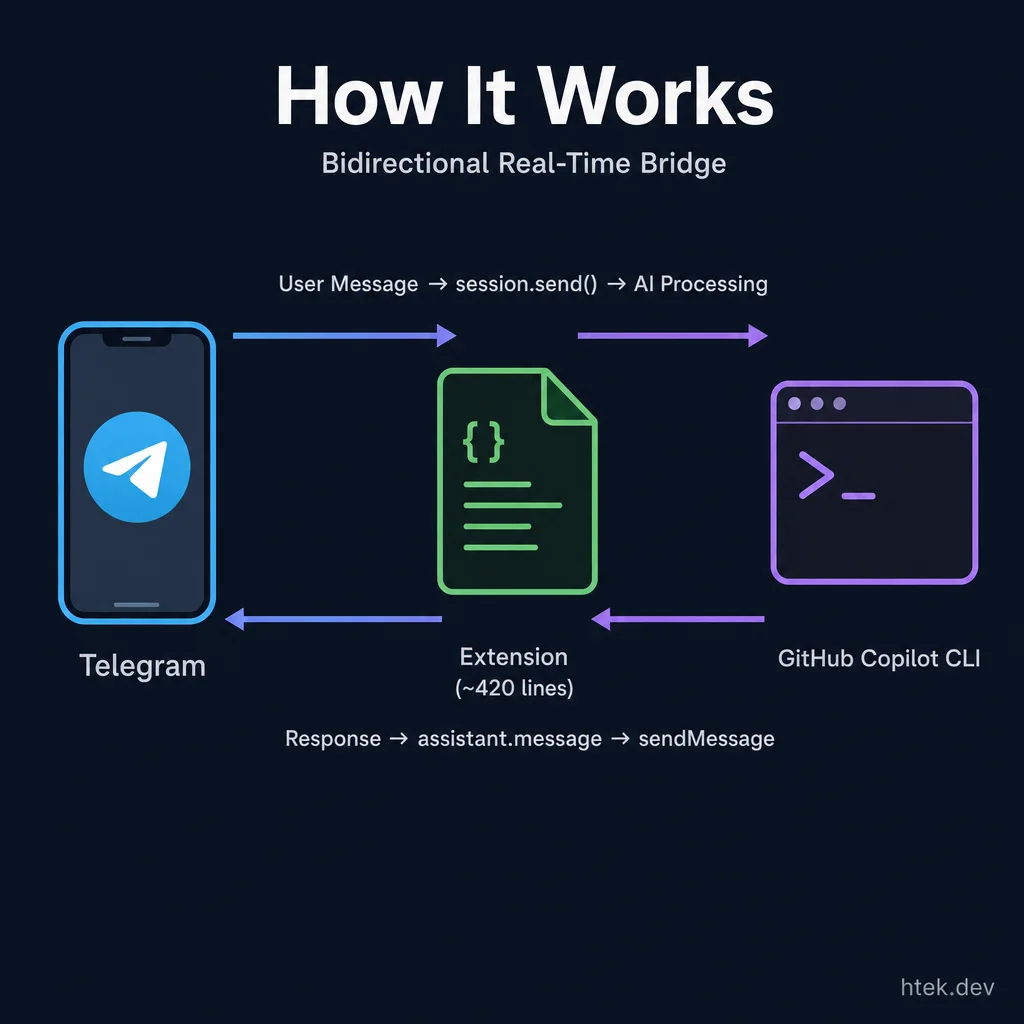 The entire bridge is bidirectional and near-real-time — no webhooks, no public URL, no infrastructure.
📱 Telegram → Long Polling → Extension → session.send() → Copilot CLI
                                                              ↓
📱 Telegram ← sendMessage ← Extension ← assistant.message event
The extension uses Telegram’s long polling — an HTTP request to getUpdates with a timeout parameter. Telegram holds the connection open and returns instantly when a new message arrives. No webhooks, no public URL, no infrastructure. Just an open HTTP request.
When a message comes in, session.send() injects it as a user prompt. When the agent responds, the assistant.message event fires and we forward it back via sendMessage. The entire bridge is bidirectional and near-real-time.
The Build Session
I built this live in a single Copilot CLI session. The whole thing — research, implementation, debugging, iteration — happened in about an hour. Here’s the interesting part: the bugs were more educational than the code.
Bug 1: The Conflict Problem
Telegram only allows one getUpdates consumer per bot token. When Copilot CLI reloads extensions (which happens on /clear or code changes), it kills the old process and starts a new one. But the old process’s HTTP request was still hanging — 25 seconds of long poll timeout. The new instance starts polling before the old connection dies.
⚠️ Telegram API error: Conflict: terminated by other getUpdates request;
make sure that only one bot instance is running
The fix was multi-layered:
- Reduced poll timeout from 25s to 10s (old connections release faster)
- Added conflict detection with silent 3s backoff retry
- Added a 2s startup delay for new instances
Bug 2: Duplicate Polling
onSessionStart fires on every session transition — not just the first one. Each fire spawned a new polling loop. Multiple consumers fighting over the same bot token.
The fix was dead simple: move polling out of onSessionStart entirely. Start it immediately when the script loads, right after joinSession(). One script execution = one poll loop.
Bug 3: Windows Signal Handling
We initially added SIGTERM/SIGINT handlers to abort the poll request on process exit. Except on Windows, Node.js doesn’t fire these handlers. The CLI communicates with extensions over stdio (JSON-RPC), so the real signal that the parent disconnected is stdin.close. We added that listener, but ultimately found it simpler to just remove all the signal handlers and let the conflict backoff handle it gracefully.
The Result
One file. ~420 lines. Zero dependencies beyond what Copilot CLI already provides. And it works:
[Telegram from Hector]: Can you tell me what stuff I have been working on?Copilot checks my session history, queries my GitHub PRs, and sends back a detailed summary — all from Telegram. Full access to the codebase, terminal, git, GitHub APIs, MCP servers, everything. This isn’t a chatbot wrapper. It’s the real Copilot CLI, remote-controlled from my phone.
OpenClaw vs. One File
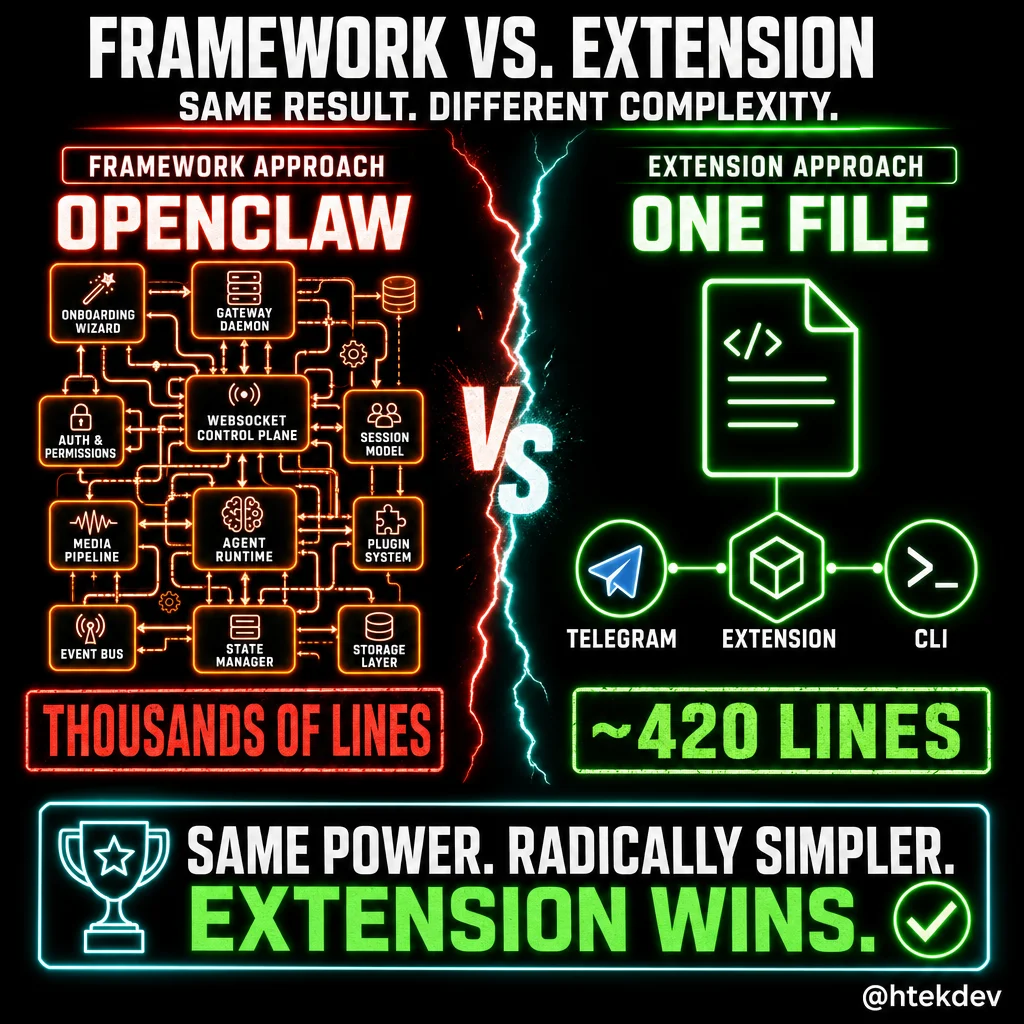 Same result — accessible AI from your phone. Radically different complexity.
Here’s the comparison that makes the point:
| OpenClaw | This Extension | |
|---|---|---|
| Setup | npm install, onboarding wizard, gateway daemon, systemd service | Drop one .mjs file, add bot token to .env |
| Infrastructure | Gateway server, WebSocket control plane, session model, media pipeline | Nothing. The CLI is the infrastructure |
| Agent runtime | Custom Pi agent runtime with RPC, tool streaming | GitHub Copilot — already the best coding agent available |
| Lines of code | Thousands | ~420 |
The trade-off is real: OpenClaw is a product — polished, multi-channel, multi-user, always-on. This extension is a hack — single-channel, single-user, runs while your terminal is open. But for the use case of “I want to talk to my coding agent from my phone,” the hack wins on simplicity by a mile.
And adding another channel? Just write another extension file. Same pattern, different API.
The Future: Safe OpenClaw
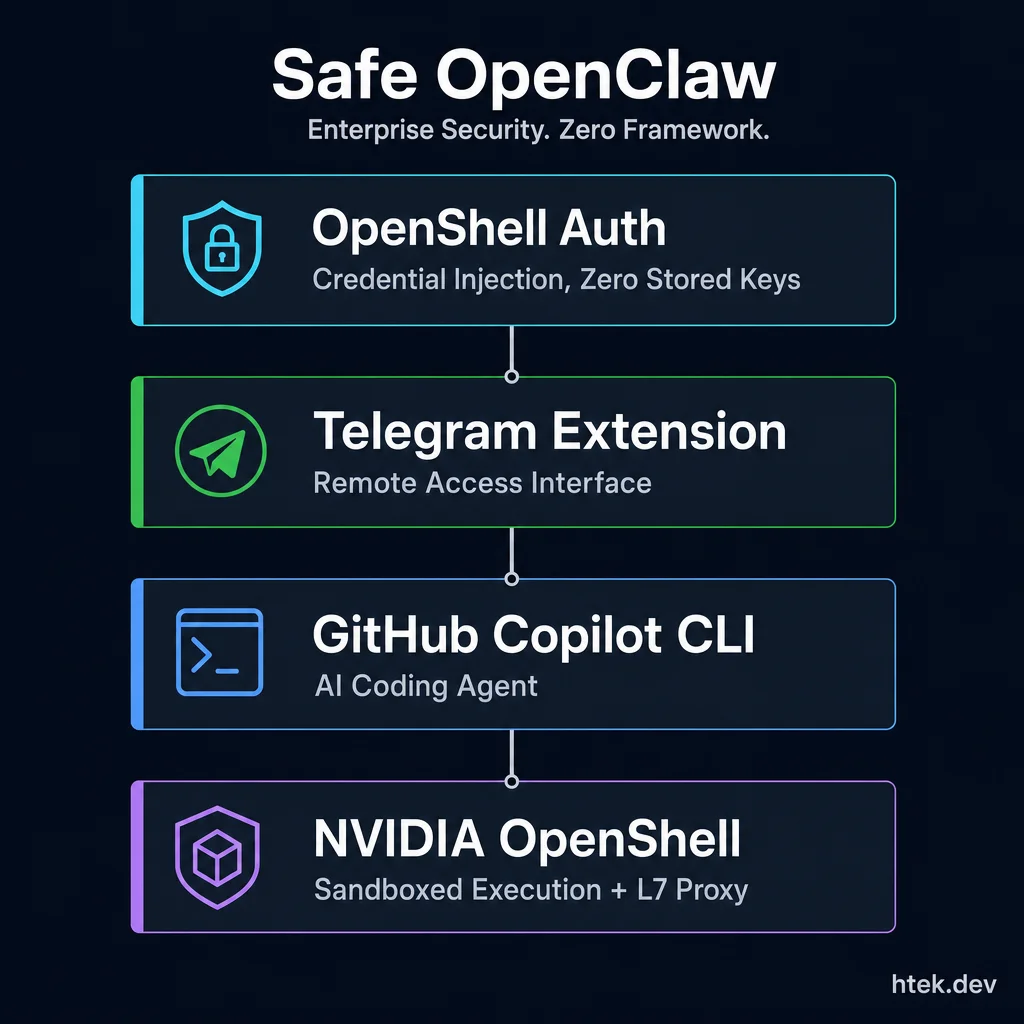 Enterprise security with zero framework — proven infrastructure composed together.
Here’s where it gets interesting. This project is step one. Step two is one PR away.
NVIDIA OpenShell is the runtime environment for autonomous agents — sandboxed execution with a policy engine, L7 proxy with credential injection, and network-level security. Think Docker for AI agents, but with enterprise-grade isolation.
PR #60 adds GitHub Copilot API endpoints to OpenShell’s base sandbox policy. Once merged, Copilot CLI can run inside an OpenShell sandbox with:
- L7 proxy credential injection (no API keys stored in the sandbox)
- Network policy enforcement (only Copilot API endpoints are reachable)
- Full sandboxed filesystem (agent can’t escape)
- Already verified end-to-end:
/models,/chat/completions,/mcp/readonlyall working
Combine the three layers:
| Layer | Technology | Role |
|---|---|---|
| Agent | GitHub Copilot CLI | The actual AI coding agent |
| Sandbox | NVIDIA OpenShell | Secure, isolated execution |
| Interface | This Telegram extension | Remote access from your phone |
| Auth | OpenShell L7 proxy | Credential injection, zero stored keys |
That’s OpenClaw’s entire value proposition — a personal AI assistant accessible from messaging apps — but built on the best coding agent available, running inside NVIDIA’s security infrastructure, controlled from Telegram with a single-file extension.
Safe OpenClaw. No gateway daemon. No custom agent runtime. No framework. Just proven infrastructure composed together.
Try It Yourself
The full source is on GitHub: htekdev/gh-cli-telegram-extension
Setup takes 2 minutes:
- Create a bot via @BotFather on Telegram
- Drop the extension in
.github/extensions/telegram-bridge/ - Add your bot token to
.env - Start a Copilot CLI session
Send /start to your bot. You’re in.
Built live in a single Copilot CLI session. The extension was written, debugged, and iterated entirely through the CLI — including from Telegram itself once the bridge was working. Proof that the tool can build its own interfaces.