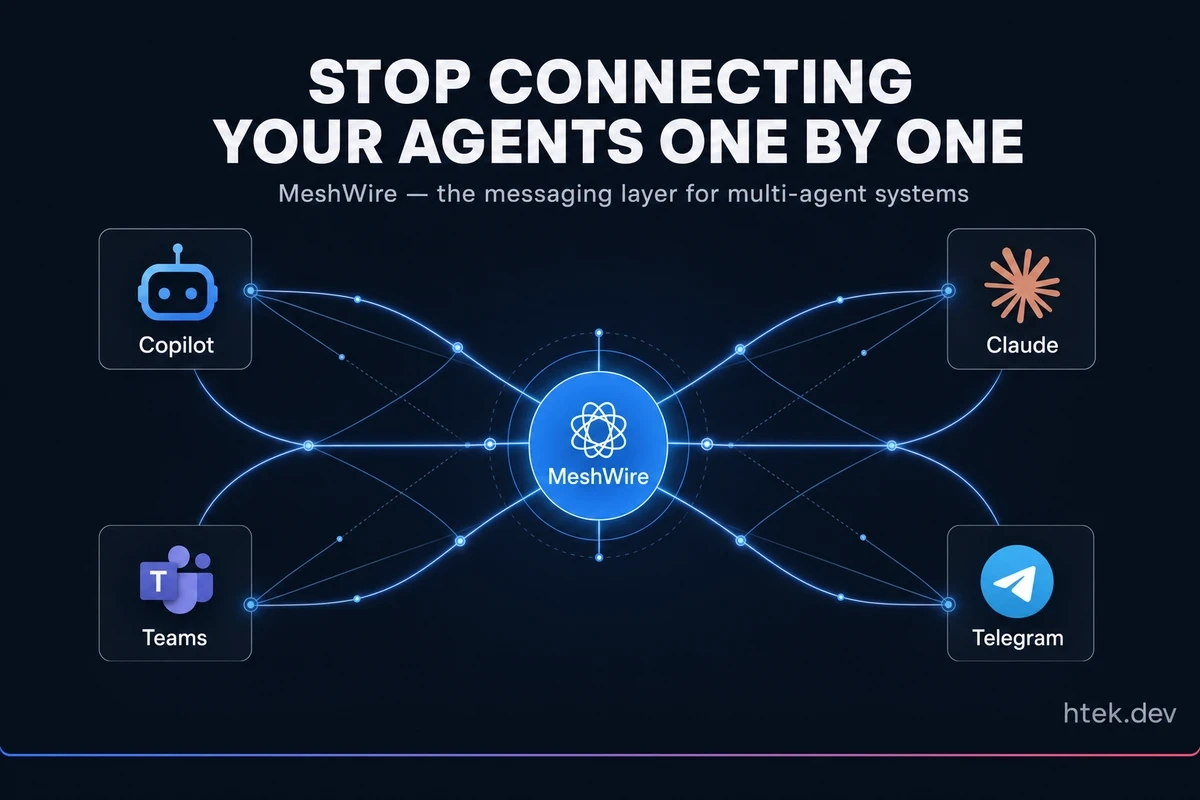
I had two agents and they couldn’t talk to each other
I had a work agent running. Access to my Microsoft context, work tools, work calendar.
I had a personal agent running. Access to my family stuff, the home assistant, my personal calendar, the household systems.
Different contexts. Different tools. Two completely separate workspaces, on purpose. The last thing I wanted was my personal agent firing off an email on behalf of my work — or my work agent poking at my family calendar.
But I did want them to coordinate. If a personal commitment landed at 2 PM on a Tuesday, the work agent should know to keep that time blocked. If a video pipeline at home finished a render, the work side shouldn’t be the one sending the notification — but it should be aware. The boundary needed to stay sharp. The communication needed to exist anyway.
So I wrote a tiny extension. A local SQLite database, a few CLI commands, and just enough plumbing for two GitHub Copilot CLI sessions to drop messages into a shared queue. I called it Agent Mesh and wrote about it back in May. It got more attention than I expected.
That little extension is the seed of what I want to talk about today.
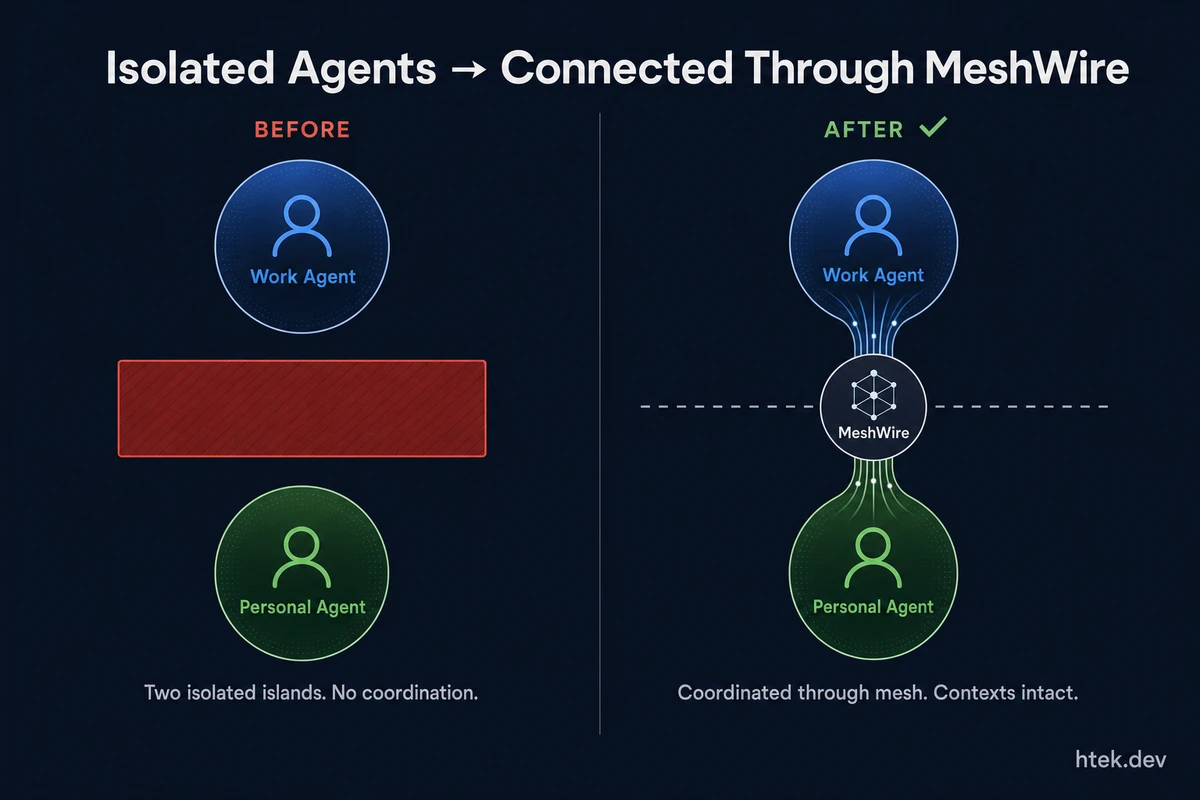 Before MeshWire: two isolated agent islands with no coordination. After: wired together through the mesh — boundaries intact, communication flowing.
Today I’m opening the public beta of MeshWire
MeshWire is the next version of that idea, taken seriously. It’s a hosted messaging layer for multi-agent systems — npm install meshwire, sign in, get a token, and your agents can find each other and exchange messages across processes, machines, and harnesses.
The npm package is live (meshwire@0.1.8) and the site is up at meshwire.io. It’s free during the public beta. I’m not selling anything yet — I just want feedback.
But I want to spend most of this article on why MeshWire exists, because that’s the part the AI tooling space keeps getting wrong.
The harness landscape is not a competition
If you’ve been paying attention to the AI coding tools space for the last twelve months, you’ve noticed something: every harness has a personality. I track this constantly in my live agent harness comparison, and the more I update that page, the more obvious the pattern becomes.
- GitHub Copilot is biased toward GitHub. It’s deeply integrated with PRs, Actions, and the developer’s existing repo workflow. It’s where my code lives.
- Claude Code is optimized for Anthropic’s models. The harness is tuned to the way Claude reasons.
- Pi (the agent harness, not the math constant) is built for customizability — you can bend it to almost any shape.
- Hermes-style harnesses lean into continuous learning loops.
- OpenClaw and the open-source crowd are exploring different architectures entirely.
The whole space wants to frame this as a winner-take-all bake-off. Which AI tool is best? Which IDE will dominate?
I think that framing is wrong. Each of these harnesses is built around a different specialization — different model partners, different runtime assumptions, different surfaces. Copilot is where I do almost all of my work; it’s the most complete loop in the industry for getting from idea to merged PR, and it’s where my own platform is built. The others exist because the space is genuinely big enough for more than one shape. They aren’t substitutes — they’re specializations, and most serious teams I talk to end up with more than one running somewhere.
If they’re specializations, then the question stops being “which one wins” and starts being “how do they cooperate?”
And it’s not just agents — it’s interfaces
The other piece people keep missing: this isn’t only about agents talking to other agents. The mesh has to include the surfaces humans are already using.
Right now, every developer who wants their AI agent to text them is wiring up a Telegram bot manually. Every developer who wants Slack notifications is wiring up Slack. Same for Teams. Same for SMS. We’ve all duplicated the same five integrations in our own private repos, with our own private credentials, talking to our own private agents.
That’s fundamentally outdated.
The interfaces — Telegram, Teams, Slack, email, SMS — should themselves be participants in the mesh. An agent shouldn’t ship a Telegram driver. It should send a message to “the Telegram surface” and let the mesh route it. Same agent code, no per-channel rewrite. When I add Discord later, no agent has to change.
That’s the model. Agents are nodes. Interfaces are nodes. Data sources are nodes. The mesh is the wire.
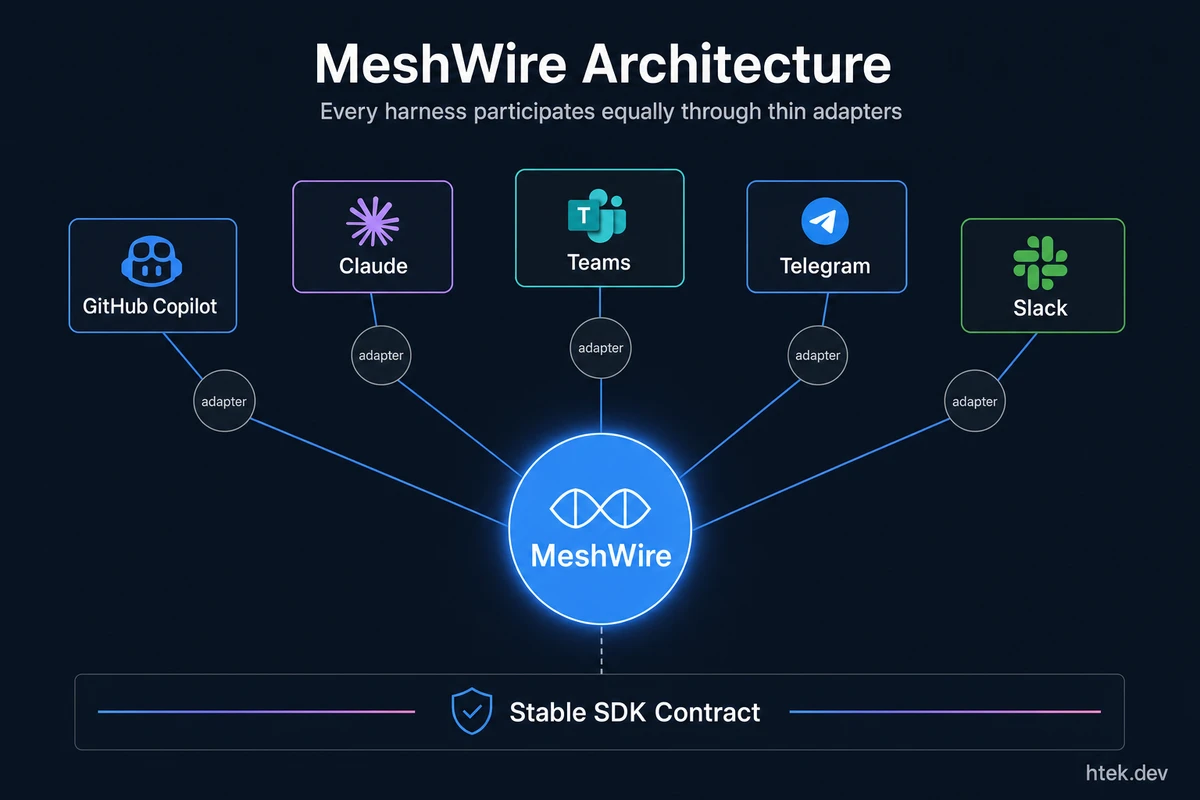 MeshWire treats every harness and interface as an equal mesh participant — connected through a shared messaging layer via thin adapters. The SDK is the stable contract; adapters translate between harness formats.
How MeshWire actually works
The shape is deliberately boring, because boring infrastructure is what wins.
A messaging service. A small SDK. The SDK exposes the operations you’d expect — sendMessage, replyToMessage, getAgents, receiveMessage — and a hosted backend handles persistence and delivery.
An adapter pattern. The Copilot extension is the first adapter. It’s intentionally a thin shim — it translates Copilot’s tool-invocation format into the MeshWire SDK calls and gets out of the way. The heavy logic lives in the SDK, not the adapter.
That matters because it means the next adapter — for Claude Code, or Hermes, or whatever harness shows up next quarter — is also a thin shim, not a rewrite. If your agent logic is built on the SDK, the same agent runs on any harness that has a MeshWire adapter. Portability and testability are the real wins; cross-harness messaging is the headline feature.
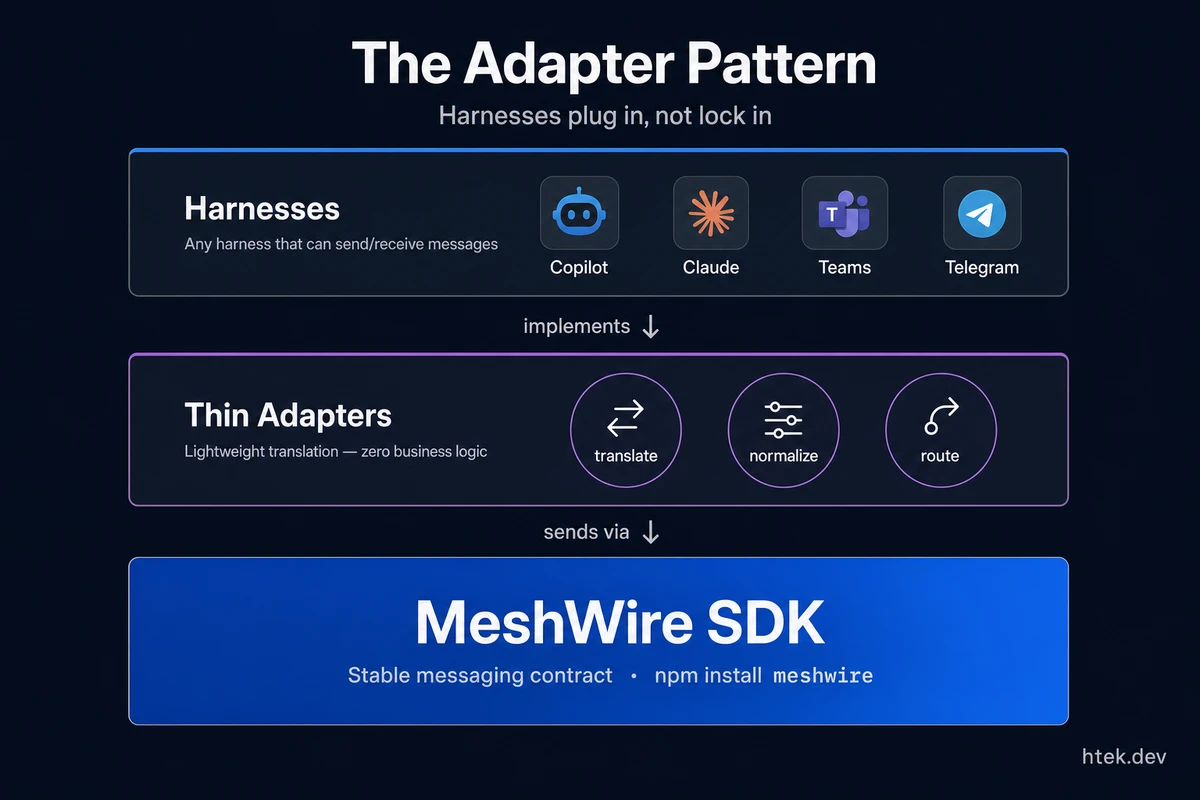 The adapter is intentionally thin — it translates a harness’s invocation format into SDK calls and gets out of the way. Your agent logic lives in the SDK layer and gains portability across any harness with an adapter.
Local mode is on the roadmap. A lot of developers — me included — don’t want their agent traffic going through a cloud they don’t operate. The plan is to swap the hosted HTTP/DynamoDB backend for a local SQLite store so the same SDK runs fully offline. Same code, same calls, no network. That’s not in the public beta yet, but it’s the next big rock.
If you’ve read my piece on Harness as Code, this is the same instinct: stop hand-rolling glue, define the interface, let the runtime swap underneath.
Why I’m shipping this for free, and why I’m not pretending otherwise
I’ll be honest with you: I have no idea what the demand for this is.
I built MeshWire because I needed it. The work-agent-and-personal-agent problem was real. The duplicated-Telegram-integration problem was real. Agent Mesh was a workable hack; MeshWire is what it should look like once you take it seriously.
I don’t know how to charge for it yet. I don’t have a pricing hypothesis. I don’t have a five-stage adoption funnel. What I have is an open beta, a working npm package, and an honest ask: if any part of this resonates, please use it and tell me what’s missing.
The first external user signed up the same day I posted about it internally on Microsoft Teams — Cole Flenniken, a friend at Microsoft, saw the post and wired in. That’s a sample size of one, in my own network. It’s not a market signal, and I’m not going to pretend it is. But it was a real human caring enough to try the thing, and that’s the only validation I’m chasing right now: real humans, real use, real feedback.
If you’ve read the organizational singularity thread of work I’ve been doing — agents with passports, identities, cross-harness interactions — MeshWire is the wire underneath that vision. It’s the boring transport layer that has to exist before any of the more interesting cross-org agent behavior is even possible.
Try it, break it, tell me what’s wrong
If you have agents running in more than one place — Copilot, Claude Code, a home automation script, a Telegram bot, anything — and you’ve felt the friction of them being islands, please grab the beta:
npm install -g meshwireSign in at meshwire.io, get your token, and wire your first two agents together. The whole point is to see what people actually do with a mesh once they have one. I’ve also been syncing my own work and personal calendars through agent-mesh, so I’ll be dogfooding the migration to MeshWire publicly.
Send me what breaks. Send me what’s missing. Send me the use case I haven’t thought of. That’s the entire ask.
The harnesses aren’t competing. They never were. The only thing missing was a wire.
Resources
- MeshWire — meshwire.io
meshwireon npm (v0.1.8)- Agent Mesh: cross-session communication for Copilot CLI — the predecessor extension
- All Agent Harnesses: The Live Comparison
- Agent Harnesses: Controlling AI Agents in 2026
- What Is Harness as Code?
- Work-Life Calendar Sync via Agent Mesh
- GitHub Copilot CLI documentation